![ES_Primary_Logo (1).png]](https://info.energysage.com/hs-fs/hubfs/ES_Primary_Logo%20(1).png?height=40&name=ES_Primary_Logo%20(1).png)
Whether you’re signing up for quotes for the first time, updating your preferences, or exploring battery-only options, this guide walks you through how to get and manage solar quotes on EnergySage.
Request your first quotes
Follow these steps to get started on the EnergySage Marketplace:
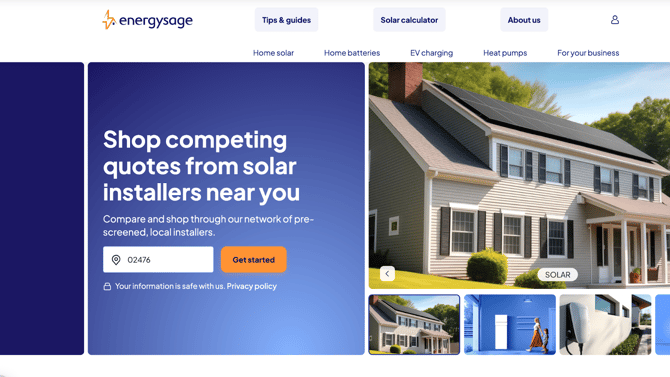
- Go to energysage.com and click Get Quotes.
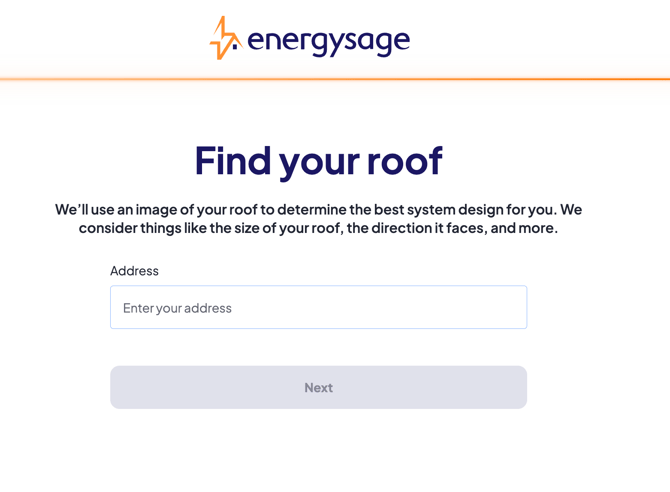
- Enter your property address and complete the short setup form.
- Upload a recent electric bill (optional but highly recommended for accuracy).
- Submit your request — within 1–3 business days, you’ll receive your first quotes from vetted local installers.
💡Why we ask for your address: Your property location helps determine system size, available incentives, and which installers serve your area.
Request updated quotes from your installers
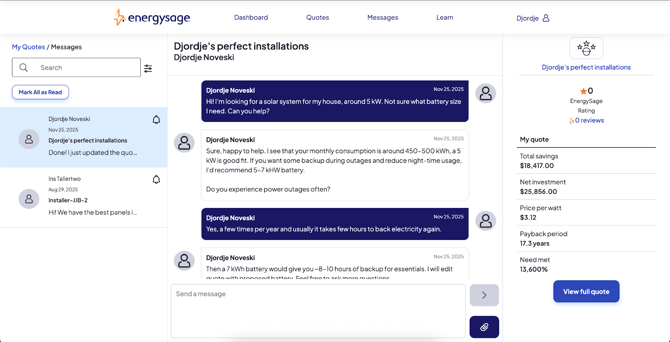
If you’d like your existing installers to make changes to their proposals — such as updating equipment, pricing, or financing options — you can request updates directly from your Message Center.
- Log in to your EnergySage account.
- Go to your Quotes → Messages tab.
- Open a message thread with the installer whose quote you’d like to update.
- Confirm that your project details and electric bill are up to date.
- Send them a short message with your requested changes (for example: “Can you update my quote to include Enphase microinverters and show the 10-year loan option?”)
Once the installer revises their quote, you’ll receive an email notification directing you back to your account to review the updates.
💡Tip: You can request updates from multiple installers to compare different equipment or financing options side by side.
Request more quotes
The number of quotes you receive depends on several factors, including:
- Your location,
- The solar feasibility of your property, and
- The number of installers available in your area.
If you’d like to explore additional quotes beyond what you’ve already received, we’ll do our best to help.
You can:
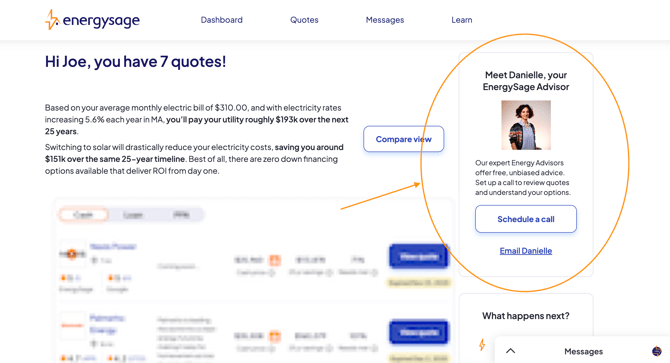
- Contact your Energy Advisor directly through your My Quotes tab, or
- Book a call with the next available Energy Advisor here, or
- Submit our Contact Us Form to let us know you’d like to see if more quotes are possible.
Your Advisor will review your account and contact our installer network to determine whether additional quotes can be provided for your property.
💡Tip: Most EnergySage shoppers receive 3–5 quotes on average, depending on local installer availability.
Request battery quotes
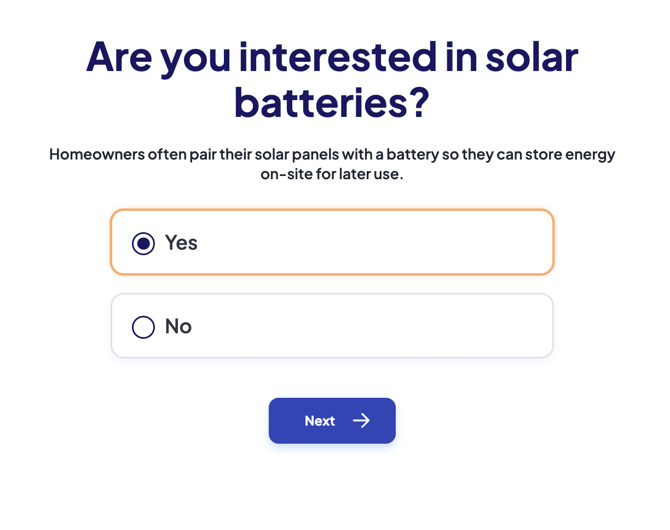
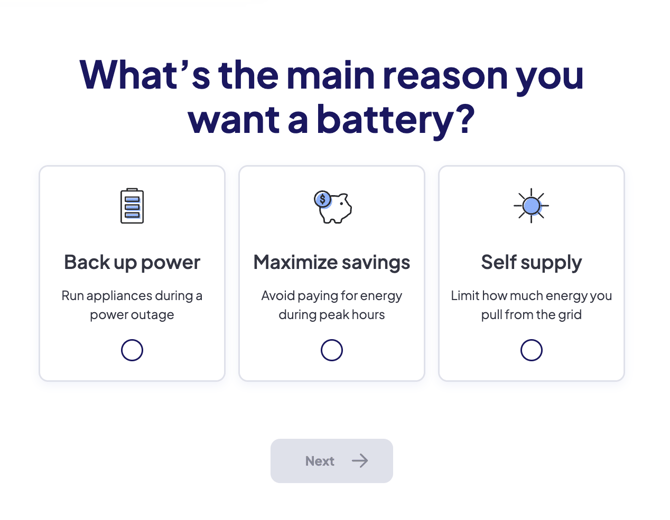
You can request battery quotes when you’re shopping for a new solar + battery system on EnergySage.
During your quote setup, you’ll be able to indicate that you’re interested in adding energy storage to your solar installation.
- Log in to your EnergySage account.
- Go to your Project Preferences page.
- Under System Type, select Solar + Battery.
- Click Save, then request new quotes.
⚙️Note: EnergySage currently offers battery-only quotes as part of new solar installations. If you already have solar and want to add a battery, you can either book a free consultation with one of our Energy Advisors who will guide you through the process, or, if you are ready to receive quotes, fill out the Home Energy Assessment with our partner Qmerit to get connected with a certified installer in your area.
Refresh your account for new quotes
If you’ve completed your project in the past or want to start fresh with new quotes for the same property, our support team can help you reactivate your account and reinitiate the quote process.
- Visit our Contact Support Form and select “Refresh my quotes” from the dropdown.
- Our team will review your request, reactivate your account, and notify local installers to send new proposals.
- You’ll receive an email once your updated quotes are available to review.
💡Tip: Refreshing your quotes is helpful if your previous ones expired or your project timeline has changed.
About requesting quotes from specific installers
At this time, EnergySage does not support requests for quotes from specific solar companies.
Our quoting process is designed to match you automatically with qualified, vetted installers in your area who best fit your project needs — based on your property details, preferences, and equipment choices.
💡Why we don’t allow specific requests: Limiting quotes to certain companies could reduce your ability to compare options, and we want to ensure you receive fair, competitive pricing from multiple providers.
If you have a preferred company in mind, you can mention their name when communicating with your EnergySage Advisor, but we can’t guarantee they’ll be included in your quote set.
Questions about your quotes?
If you need help understanding your quotes or comparing installers, you can:
- Send a message directly to your installers through the Messages tab in your dashboard, or
- Contact your Energy Advisor for personalized support and guidance.
How to contact your Energy Advisor
Our Energy Advisors are here to help with any questions you might have about your quotes, installer options, solar equipment, financing, incentives, or just the process of going solar in general!
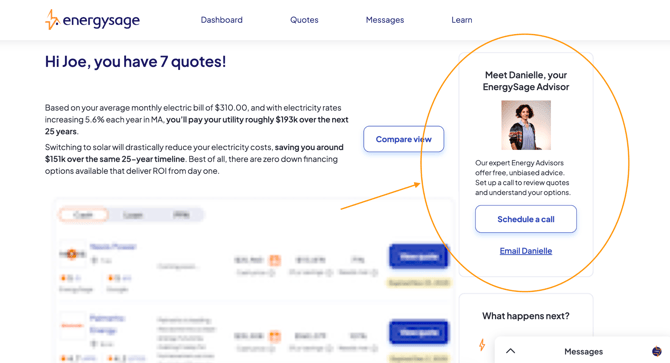
Every EnergySage shopper is assigned their own dedicated Energy Advisor. To reach yours:
- Log in to your EnergySage account.
- Go to the My Quotes tab.
- Look right above your quotes — you’ll see your Advisor’s name and contact options.
- Click the link to either book a call or send them an email directly.
If you don’t see a time that works on your Advisor’s calendar, you can access the full Energy Advisor team calendar here.
💡Availability:
Monday-Thursday 9:00AM - 9:30PM EST
Friday 9:00AM - 5:00PM EST
Saturday 10:00AM - 3:00PM EST
Quote FAQs
|
Question |
Answer |
|
How long does it take to receive quotes? |
Most users receive 3–5 quotes within 1–3 business days after submitting their information. |
|
Can I update my project after getting quotes? |
Yes — upload a new electric bill or adjust your preferences anytime. |
|
Can I talk directly to installers? |
Absolutely. You can message them through your dashboard’s Messages tab. |
|
Are installers vetted by EnergySage? |
Yes. All installers undergo background checks and quality verification before joining our network. |
|
Can I choose which installers quote my project? |
No — quotes are automatically generated from qualified, pre-vetted installers who serve your area. |